




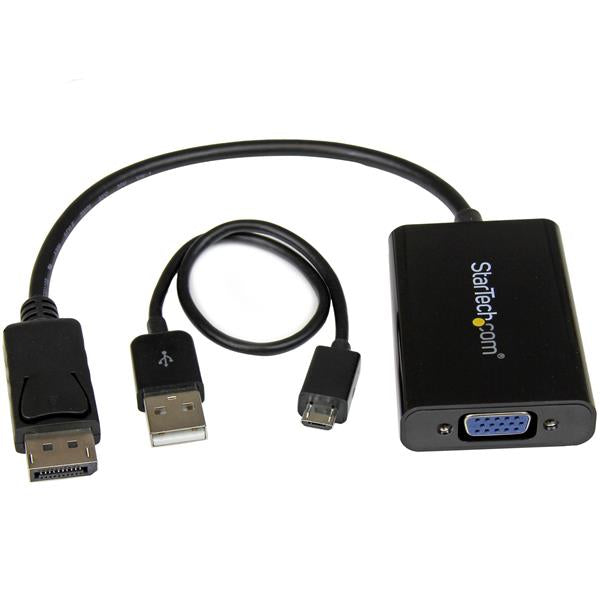


Poser une question sur StarTech.com DisplayPort to VGA Adapter with Audio
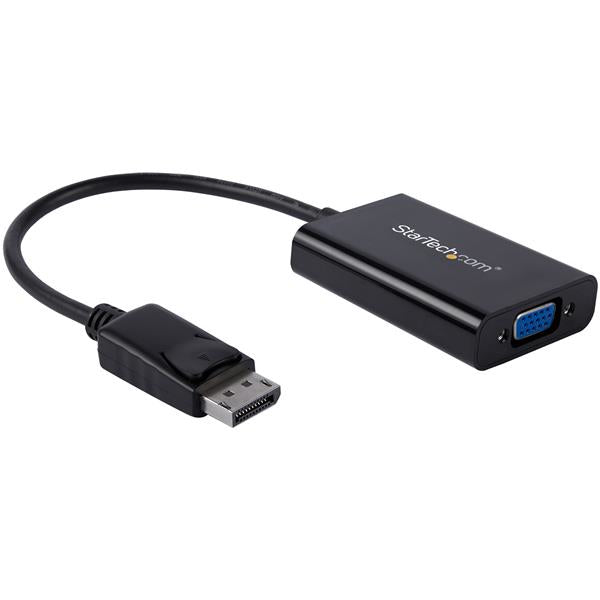
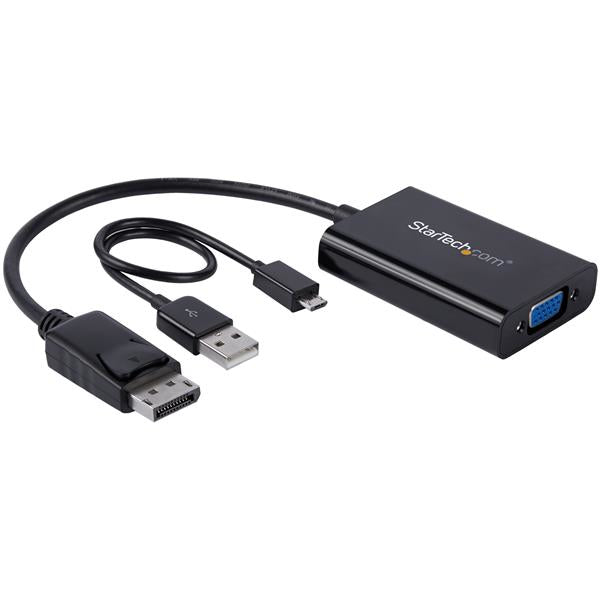
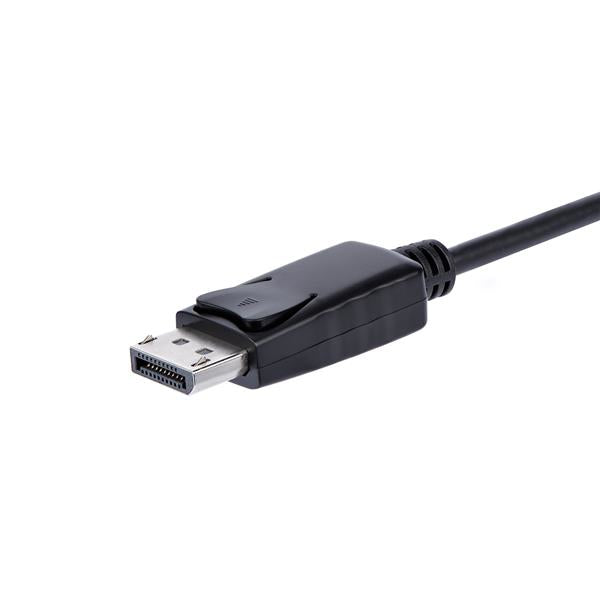
Connect your PC to a VGA display and a discrete 3.5mm audio output This unique DisplayPort™ to VGA adapter is equipped with a built-in audio port which lets you connect DisplayPort equipped devices, such as an HP® EliteBook Folio 9470m laptop, to a VGA display or projector with audio. Share your presentations and videos Because most boardrooms are set up differently, the length of cables available in each room varies. Not all laptops have the DisplayPort (DP) and audio ports positioned on the same side, which can become awkward when you’re trying to deliver your presentations. It can also mean that some ports may be just out of reach during a meeting. This convenient adapter positions your audio and video ports on the same side of your laptop, to ensure that all of the ports you need are accessible when you need them. Substitute for a damaged audio port If the audio port on your mobile device is damaged or blocked by other connections, this convenient adapter guarantees that you’ll always have all of the ports you need for every presentation. By connecting audio to your laptop through the adapter, you can be prepared for any situation. In order to use the audio function of the adapter you need to power the adapter through a USB port on your laptop, or through a charge port on a USB grommet. Simply plug a Micro USB cable from the adapter into the USB port and audio will be available when you deliver your presentation. Create a clutter-free environment The adapter can also be used for connecting your laptop or desktop computer to your monitor and speakers. The adapter and connected cables can be placed nicely at the back of your monitor to create a tidy setup between all of your devices. Arrive prepared, wherever you go This DisplayPort to VGA adapter is extremely portable with a lightweight, small-footprint design. It’s the perfect accessory to carry with your mobile devices, fitting easily into your laptop bag or carrying case. Its ultra-portable design makes the adapter ideal for BYOD (Bring Your Own Device) applications at the office. It also enables you to arrive prepared when you’re presenting to a potential client, teaching off-site, or traveling to a meet with a customer. The DP2VGAA is backed by a 3-year StarTech.com warranty and free lifetime technical support.
Caractéristiques
| Cable length | 0.184 m |
| Maximum resolution | 1920 x 1200 pixels |
| Supported video modes | 1080p |
| Product colour | Black |
| Plug and Play | Yes |
| Converter type | Active video converter |
| Operating temperature (T-T) | 0 - 70 °C |
| Storage temperature (T-T) | -10 - 55 °C |
| Operating relative humidity (H-H) | 40 - 50% |
| Compliance certificates | RoHS |
| Certification | CE, FCC, REACH |
| Weight | 50.8 g |
| Width | 42 mm |
| Depth | 67 mm |
| Height | 17 mm |
| Package width | 200 mm |
| Package depth | 220 mm |
| Package height | 16 mm |
| Package weight | 64 g |
| Harmonized System (HS) code | 84733080 |
| Master (outer) case width | 412 mm |
| Master (outer) case length | 456 mm |
| Master (outer) case height | 420 mm |
| Products per master (outer) case | 240 pc(s) |
DELIVERY
- Dispatch: Within 24 Hours
- Free shipping across all products on a minimum purchase of $50.
- International delivery time - 7-10 business days
- Cash on delivery might be available
- Easy 30 days returns and exchanges
RETURNS
If you do not like the product you can return it within 15 days - no questions asked. This excludes bodysuits, swimwear and clearance sale items.
We have an easy and hassle free return policy. Please look at our Delivery & Returns section for further information.
- Frequent cleaning with a clean buff cloth without any residue of any cleaning products removes dirt.
- Dusting with a dry cloth can scratch, so lightly spritz your cleaning cloth with water.
- A vacuum cleaner will effectively remove any dust from surfaces and crevices.
- Always use a coaster for drinks, and be mindful of any other potential sources of water damage, such as flower vases.
- Sharp objects can cut right through the surface of the wood, leaving behind unsightly scratches and gouges.
- Do not place hot utensils directly on the table top to avoid damage and discoloration
- Avoid direct sunlight as it will affect your furniture. It can cause
your furniture to lose its shine and luster and begin to fade. - The table is designed to hold food, crockery and utensils, not heavy objects.
- Avoid sitting, standing, or jumping on the dining table or chairs. Also
do not throw heavy objects on the table, as this may damage the
product.