








Poser une question sur StarTech.com 2-Port DisplayPort Dual-Monitor KVM Switch - 4K 60Hz - TAA
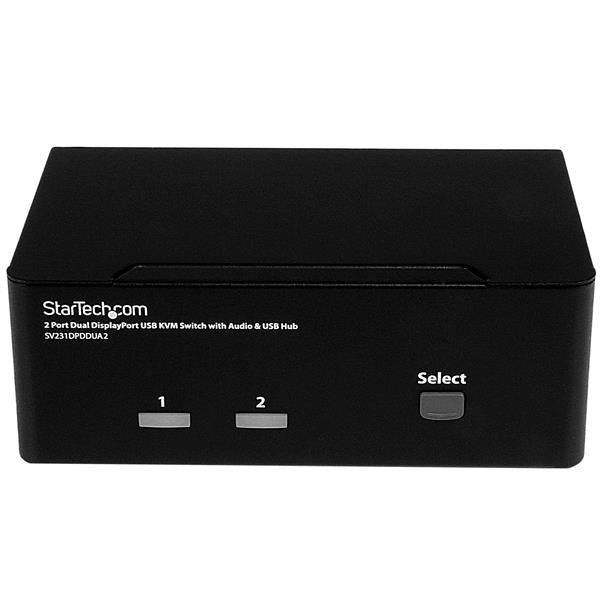
Access two dual-monitor computers and two shared USB peripherals from a single workstation This dual DisplayPort KVM switch combines next-generation digital display standards with seamless KVM control. The 2-port KVM switch features audio and USB peripheral support along with dual-display capability, which makes it easy to create a multimedia workstation that can switch between two dual-head or twin DisplayPort systems. Maximize productivity with dual video With support for two DisplayPort video inputs and two different computers, this KVM switch helps maximize productivity.You can access multiple computers, giving you the freedom to multitask and increase your productivity. Each of the DP ports supports resolutions up to 4K for maximum screen viewing space. You can also use low-cost adapters to achieve a dual-monitor setup using your computer's secondary HDMI or DVI port. Astonishing picture quality The dual DisplayPort KVM switch supports resolutions up to Ultra HD 4K at 60Hz, and can drive two large DP displays with ease. This makes it the ideal solution for creating workstations where high-quality imaging is critical, such as for graphic design. Complete multimedia control The KVM switch features auxiliary 3.5 mm audio ports that let you share independent analog audio, from each of your connected computers, with your desktop speaker set. With independent audio support, along with dual 4K DP video, you get full multimedia control between different computers which makes this the perfect KVM switch for creative professional applications such as video and sound design or editing. Convenient peripheral sharing This KVM switch offers a built-in 2-port USB hub that's separate from your HID keyboard and mouse. This enables you to share USB peripherals between each connected computer and avoid the expense of separate equipment. The USB hub automatically switches your connected USB devices to the selected computer, saving you the hassle and cost of outfitting each of your computers with their own peripherals. The SV231DPDDUA2 is TAA compliant and backed by a 2-year StarTech.com warranty with free lifetime technical support.
Caractéristiques
| Number of computers controlled | 2 |
| Keyboard port type | USB |
| Mouse port type | USB |
| Video port type | DisplayPort |
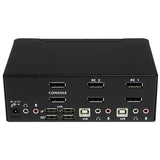
| Console ports | 3.5mm headphone, 3.5mm mic, DisplayPort, USB A |
| Console USB ports quantity | 4 |
| USB connector type | USB Type-A |
| Audio connections | Yes |
| Headphone outputs | 3 |
| Number of microphone inputs | 3 |
| DC-in jack | Yes |
| Ethernet LAN | No |
| HD type | 4K Ultra HD |
| Maximum resolution | 3840 x 2160 pixels |
| Daisy chain | No |
| Product colour | Black |
| LED indicators | Yes |
| Push button | Yes |
| Hot keys | Yes |
| Certification | CE, FCC, REACH, TAA |
| Built-in display | No |
| Input voltage | 100 - 240 V |
| Input current | 1.5 A |
| Output voltage | 12 V |
| Output current | 0.6 A |
| External power adapter | Yes |
| Compatible power plug types | AU, EU, UK, US |
| Compliance certificates | RoHS |
| Operating temperature (T-T) | 0 - 40 °C |
| Storage temperature (T-T) | 20 - 60 °C |
| Operating relative humidity (H-H) | 0 - 80% |
DELIVERY
- Dispatch: Within 24 Hours
- Free shipping across all products on a minimum purchase of $50.
- International delivery time - 7-10 business days
- Cash on delivery might be available
- Easy 30 days returns and exchanges
RETURNS
If you do not like the product you can return it within 15 days - no questions asked. This excludes bodysuits, swimwear and clearance sale items.
We have an easy and hassle free return policy. Please look at our Delivery & Returns section for further information.
- Frequent cleaning with a clean buff cloth without any residue of any cleaning products removes dirt.
- Dusting with a dry cloth can scratch, so lightly spritz your cleaning cloth with water.
- A vacuum cleaner will effectively remove any dust from surfaces and crevices.
- Always use a coaster for drinks, and be mindful of any other potential sources of water damage, such as flower vases.
- Sharp objects can cut right through the surface of the wood, leaving behind unsightly scratches and gouges.
- Do not place hot utensils directly on the table top to avoid damage and discoloration
- Avoid direct sunlight as it will affect your furniture. It can cause
your furniture to lose its shine and luster and begin to fade. - The table is designed to hold food, crockery and utensils, not heavy objects.
- Avoid sitting, standing, or jumping on the dining table or chairs. Also
do not throw heavy objects on the table, as this may damage the
product.