





Ask about Canon imageFORMULA ScanFront 400 Network Document Scanner
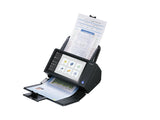
Dedicated network scanner The Canon imageFORMULA ScanFront 400 is the ultimate network scanner for streamlining document workflows. The simple interface allows quick and easy scanning to email, network folders, FTP, USB memory, fax, or printers directly from the scanner’s bright and responsive 10.1” (25.7 cm) TFT touchscreen – no additional hardware or software required. Ideal for every business Its desk-friendly size, elegant design and quiet operation make it perfect for both back office use and consumer-facing countertops in retail, banking, healthcare and the legal profession. Small businesses can share the device across the office, while large corporations can integrate the scanner into existing infrastructures for both central department scanning and decentralised scanning in branch offices. Boost productivity Scan more documents with high-speed scanning at 45 pages per minute, plus a large 60-sheet ADF. Canon’s tried and tested document feeding mechanism and durable build quality, rated for up to 6,000 scans per day, ensure unparalleled reliability. Ultra-sonic sensors instantly detect double feeds, while the Double Feed Release (DFR) function enables easy scanning of envelopes and folded documents. ScanFront Administration Tool Administration tool software allows you to manage multiple ScanFront scanners at a time. You can check the current status of the ScanFront scanners on the network, configure settings, manage users, back-up and restore configuration data. uniFLOW compatibility Take advantage of the uniFLOW support for Canon’s ScanFront network document scanner to improve scan-capture workflows and enjoy more value from your Canon fleet. Featuring compact design and ultra-reliable document feeder, ScanFront can be positioned where it’s most needed to capture a wider range of documents more efficiently. Software Developer Kit Our Business Solutions Developer Programme (BSDP) is dedicated to give you access to a range of technical information to assist development of applications for our range of business products.
Caractéristiques
| Maximum scan size | 216 x 356 mm |
| Optical scanning resolution | 600 x 600 DPI |
| Colour scanning | Yes |
| Duplex scanning | Yes |
| Greyscale levels | 256 |
| ADF scan speed (b/w, A4) | 45 ppm |
| ADF scan speed (colour, A4) | 45 ppm |
| Scanner type | ADF scanner |
| Product colour | Black, White |
| Display | TFT |
| Display diagonal | 25.6 cm (10.1") |
| Display resolution | 1024 x 600 pixels |
| Touchscreen | Yes |
| Built-in display | Yes |
| Sensor type | CMOS CIS |
| Light source | RGB LED |
| Scan file formats | PDF, PNG, TIFF |
| Daily duty cycle (max) | 6000 pages |
| Scan to | E-mail, FTP, Fax, USB |
| Auto document feeder (ADF) input capacity | 60 sheets |
| Scanning media types supported | Business Card, Plastic Card, Post Card(JPN) |
| Maximum ISO A-series paper size | A4 |
| ISO A-series sizes (A0...A9) | A4 |
| Media thickness (min) | 0.04 mm |
| Auto Document Feeder (ADF) media weight | 27 - 209 g/m² |
| Maximum scan width | 21.6 cm |
| Maximum scan length | 35.6 cm |
| USB port | Yes |
| USB version | 2.0 |
| Standard interfaces | Ethernet, USB 2.0 |
| Ethernet LAN | Yes |
| Supported network protocols | TCP/IP (IPv4), DNS, DHCP, SMB, NTP, HTTP, FTP, SFTP, Secure sending (FTPS and SMTPS), WebDAV, LDAPS |
| Power supply type | AC |
| Power consumption (typical) | 40 W |
| Power consumption (off) | 0.5 W |
| AC input frequency | 50 - 60 Hz |
| Input voltage | 100-240 V |
DELIVERY
- Dispatch: Within 24 Hours
- Free shipping across all products on a minimum purchase of $50.
- International delivery time - 7-10 business days
- Cash on delivery might be available
- Easy 30 days returns and exchanges
RETURNS
If you do not like the product you can return it within 15 days - no questions asked. This excludes bodysuits, swimwear and clearance sale items.
We have an easy and hassle free return policy. Please look at our Delivery & Returns section for further information.
- Frequent cleaning with a clean buff cloth without any residue of any cleaning products removes dirt.
- Dusting with a dry cloth can scratch, so lightly spritz your cleaning cloth with water.
- A vacuum cleaner will effectively remove any dust from surfaces and crevices.
- Always use a coaster for drinks, and be mindful of any other potential sources of water damage, such as flower vases.
- Sharp objects can cut right through the surface of the wood, leaving behind unsightly scratches and gouges.
- Do not place hot utensils directly on the table top to avoid damage and discoloration
- Avoid direct sunlight as it will affect your furniture. It can cause
your furniture to lose its shine and luster and begin to fade. - The table is designed to hold food, crockery and utensils, not heavy objects.
- Avoid sitting, standing, or jumping on the dining table or chairs. Also
do not throw heavy objects on the table, as this may damage the
product.